


 Shop all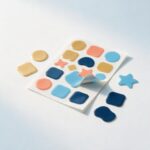
What you can order
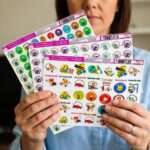
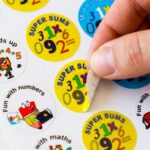
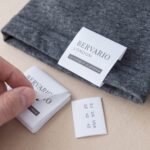
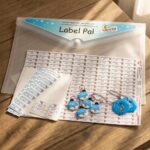
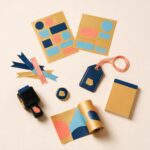
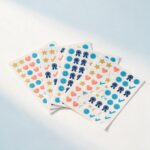
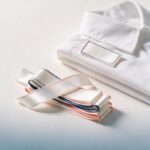
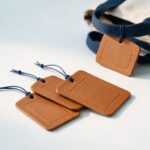
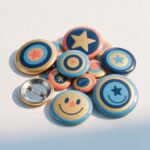
Our name label kits are ready-designed sets for school: stickers, iron-on labels, shoe labels, bag tags and more, all in one theme with your child’s name on every label. Each theme’s labels can also be bought one type at a time. There is nothing to design: you type the name, check the preview, and add it to your basket.
Ordering a kit
- Open the kit in the theme you like and choose the Kit size.
- On the Standard and Mini kits you can tick Add Pencil Wrap Clear Laminate: a clear wrap that encapsulates the printing and protects it for the lifetime of the stationery item, best on pens and pencils. Its price shows beside it and is added to your kit.
- Type the first name (printed on every label), and a surname if you want one.
- Add a phone number if you like. It is printed on the shoe labels, iron-on labels and bag tags only, so a lost item can find its way home.
- Press Preview my kit. In a few seconds the product picture changes to show one of every label in your kit, with your name on it.
- Check the spelling, then tick I have checked the spelling and approve this proof for printing. Personalised items cannot be returned.
- Press Add to basket.
Ordering a single label type
- Open the label type and theme you want.
- Type the first name, and a surname if you want one. A phone number box appears on the labels that carry one.
- Pause for a moment and your label appears, with your name on it, under the boxes and in place of the product picture. It updates by itself each time you stop typing: that is exactly what we print.
- While it says Updating…, wait for it to catch up. Then check the spelling, tick that you have read and agree, and press Add to basket.
Trying another design
Under the title, Design names the one you are on. Press Change design to see every design in a pop-up: scroll through them, then tap one to open it (the × button, the Esc key or a tap outside closes the pop-up if you change your mind). Your name and phone number come with you, and on a kit the kit size too, so there is nothing to type again.
A single label shows its new preview by itself. A kit you had already previewed builds its new preview straight away; otherwise press Preview my kit as usual. Each design is a new proof, so check it and tick again before you add it to your basket.
Long names
Every label has a fixed space, so the longer the name, the smaller it prints. The page counts the characters as you type. If a name would print too small to read comfortably, you are told so, and the preview is the real test: look at it before you approve.
Tip: a first name alone prints larger than a first name and surname. For very small labels, such as pencil labels, the first name is often best.
Changing something after the preview
Change anything (the name, the kit size, the phone number) and your approval is cleared. Preview again (a single label does that by itself), check it, and tick again before you add it to your basket. That way the proof you approve is always the one we print.
Approving is final. Personalised labels are printed for you alone, so a spelling mistake in an approved proof cannot be refunded. Check every letter.
After you order
- We start making your order once you have approved your proof and paid. How long it takes, and how it reaches you explains production times, Rush production, courier delivery and lockers.
- Collecting from our Wilro Park collection point is free. We email you when your order is ready to collect.
- Need something different, such as more labels or another wording? Send us an enquiry.